
iPhone · iPad · Mac

AirTune

Internet radio you can rewind

Catch what you just missed. Rewind live internet radio, keep your stations in sync between Mac and iPhone, and pay once. No subscription.

Download on the App Store Support
Screenshots Support Privacy Policy

About AirTune

AirTune is a simple, elegant internet radio app for Mac and iPhone.

You know the moment: you're half-listening to a show, someone says something interesting, and you think, "Wait, what did he just say?" With AirTune you can rewind and hear it again.

WHY AIRTUNE

I wanted an internet radio app that I could make my own. I wanted to add my own stations, have them follow me between my Mac and my iPhone, and not pay a subscription for the privilege. So I made one.

WHAT IT DOES

Rewind live radio: skip back and listen again to what you've just heard.

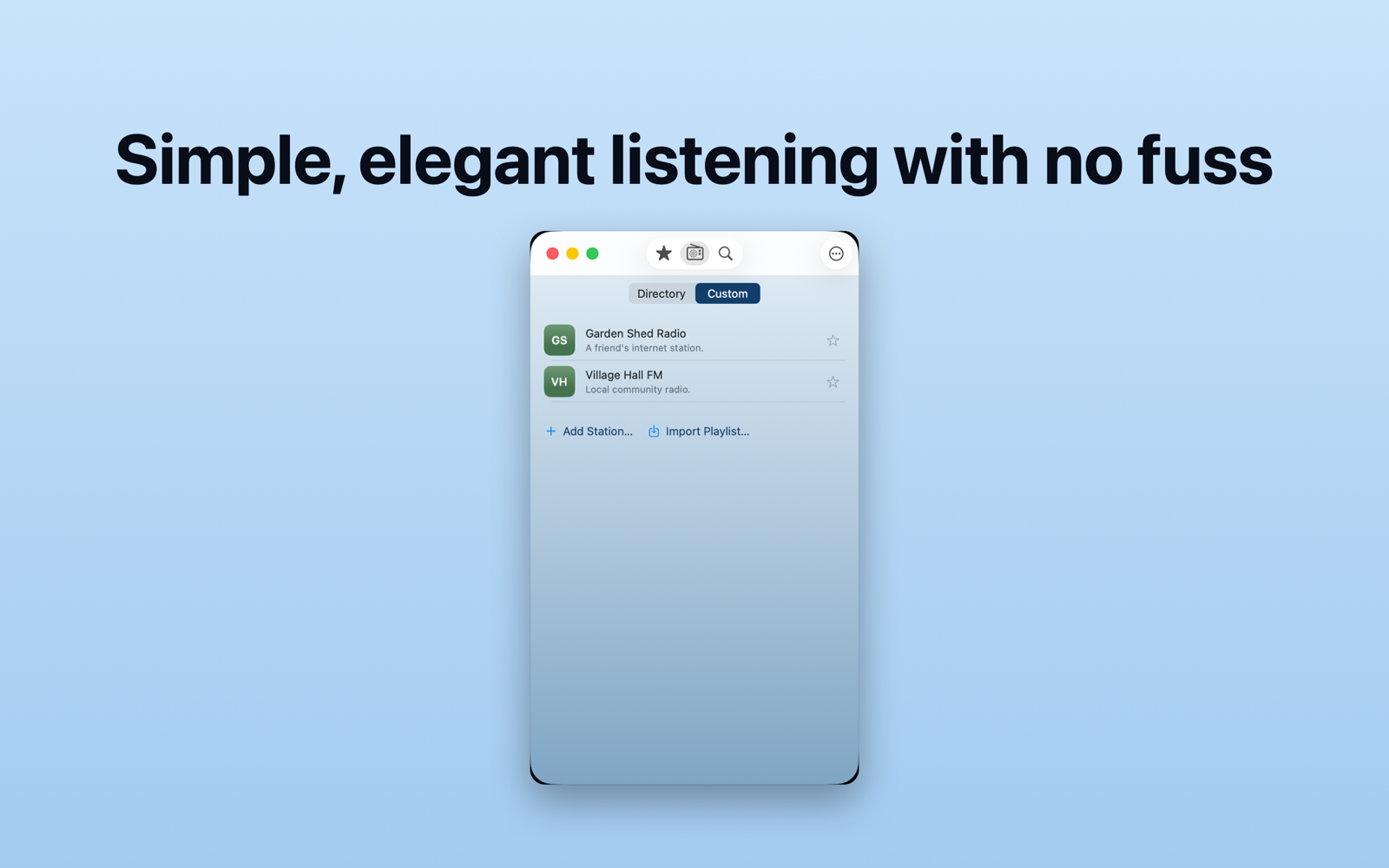
Add your own stations: build a station list that suits you.

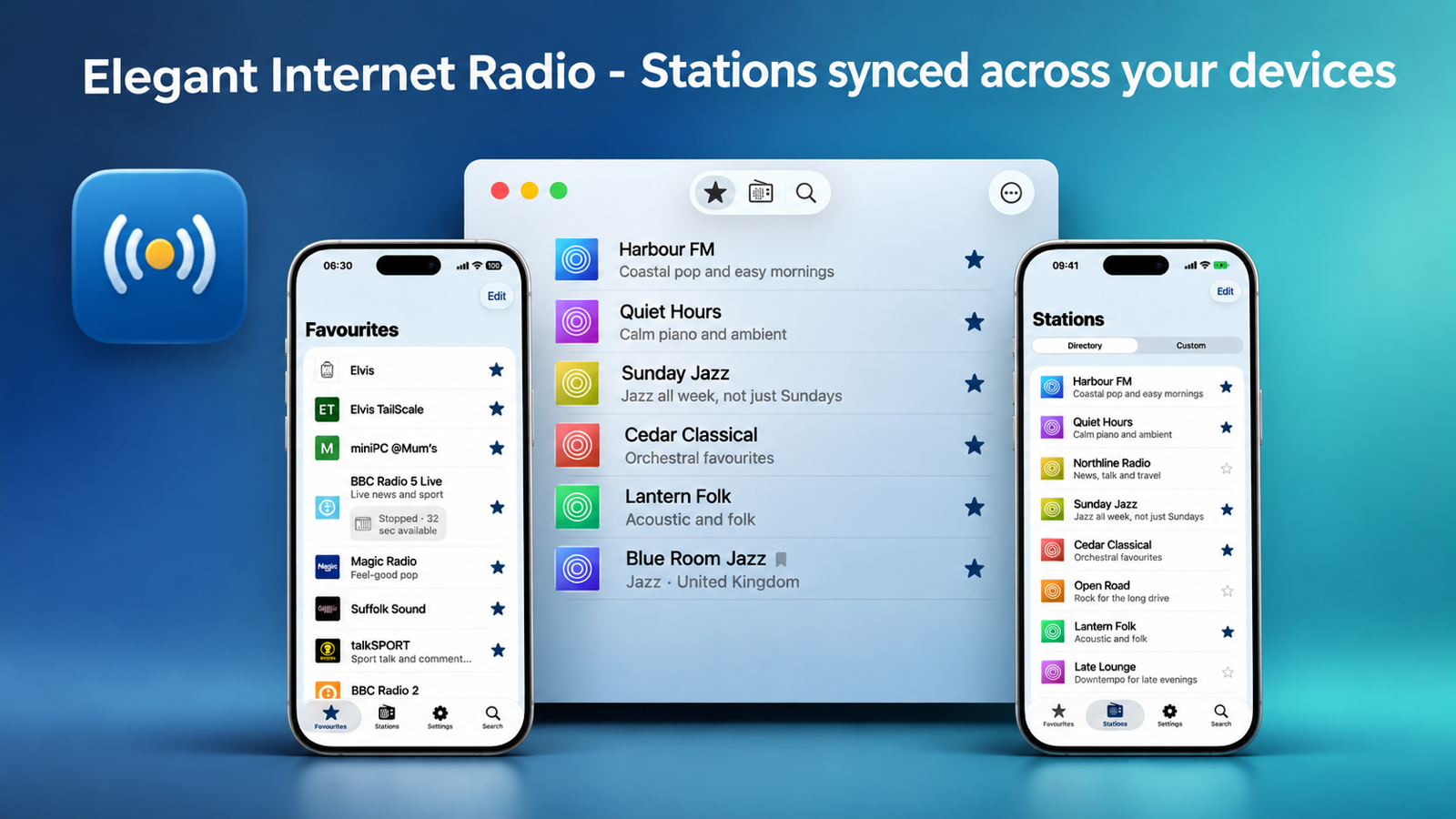
Synced between Mac and iPhone: your stations are there on both.

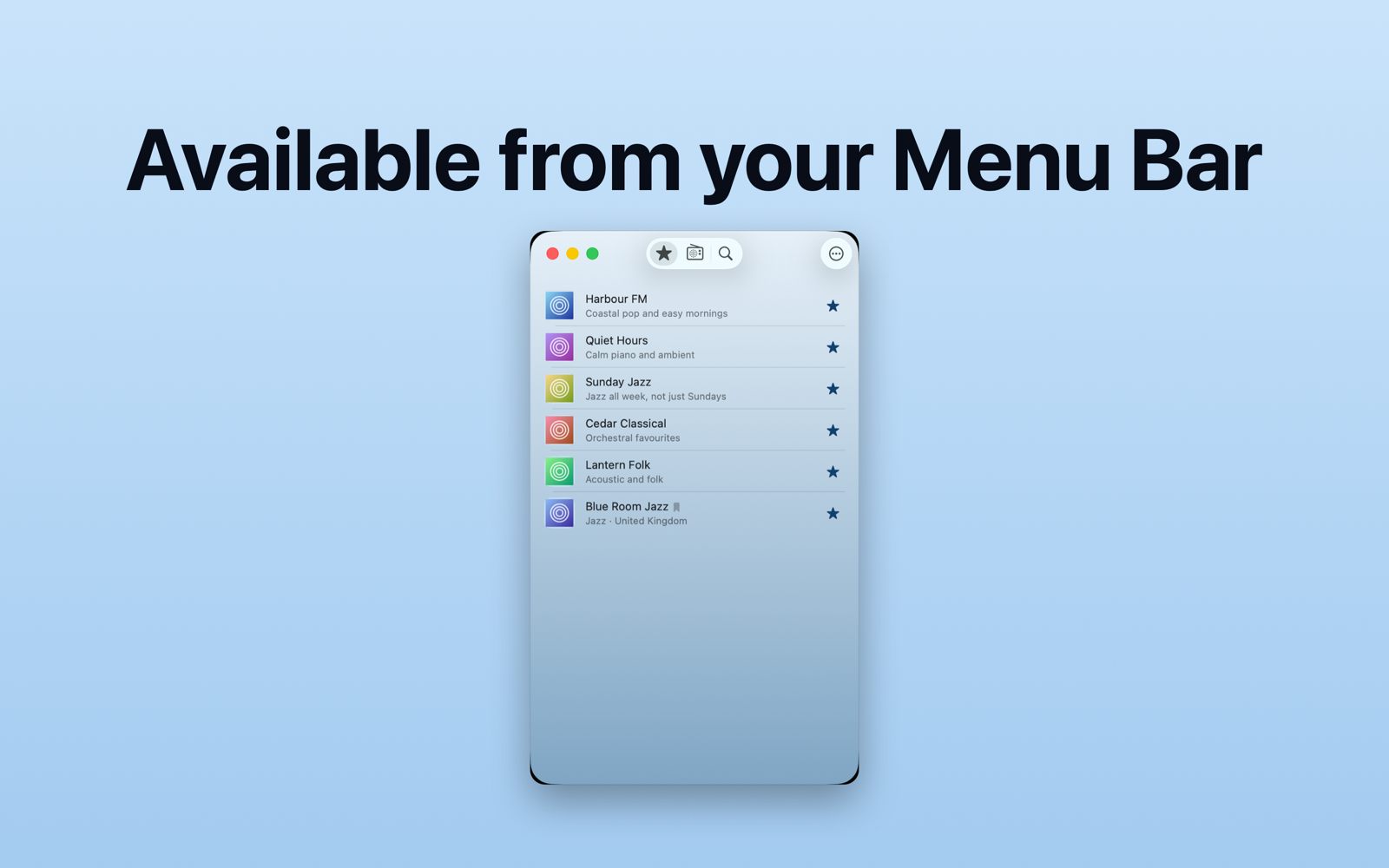
A simple menu app on the Mac: tune in without getting in the way of what you're doing.

Widgets: keep AirTune close at hand.

WHO IT'S FOR

Anyone who enjoys internet radio on their Mac or iPhone, and anyone who's ever wished they could hear the last bit again.

ONE PAYMENT

AirTune is a one-off purchase. Pay once and it's yours to keep using. No subscription.

Simple, elegant, and made to stay out of your way. Happy listening.

Open on App Store

Features

Internet Radio on iPhone and Mac

AirTune is designed for iOS and macOS, with a familiar experience across both platforms.

Pause & Rewind Live Radio

AirTune lets you pause and rewind live internet radio, so you can hear something again without waiting for a replay.

How it works

  • Start listening to a station.

Save Recordings

Want to keep something you've heard?

Keeping unsaved audio

In Settings, you can choose between:

Add Your Own Radio Stations

AirTune isn't limited to stations in its directory.

How to add a station

  • Open Stations.

Keep Your Stations in Sync

AirTune uses Apple's iCloud services to synchronise supported station information between your iPhone and Mac.

Mac Menu Bar

AirTune includes convenient menu-bar controls on macOS, so you don't need to keep the main app window open while listening.

Made for Simple Listening

AirTune is built around a straightforward idea: internet radio should be enjoyable, customisable and easy to use.

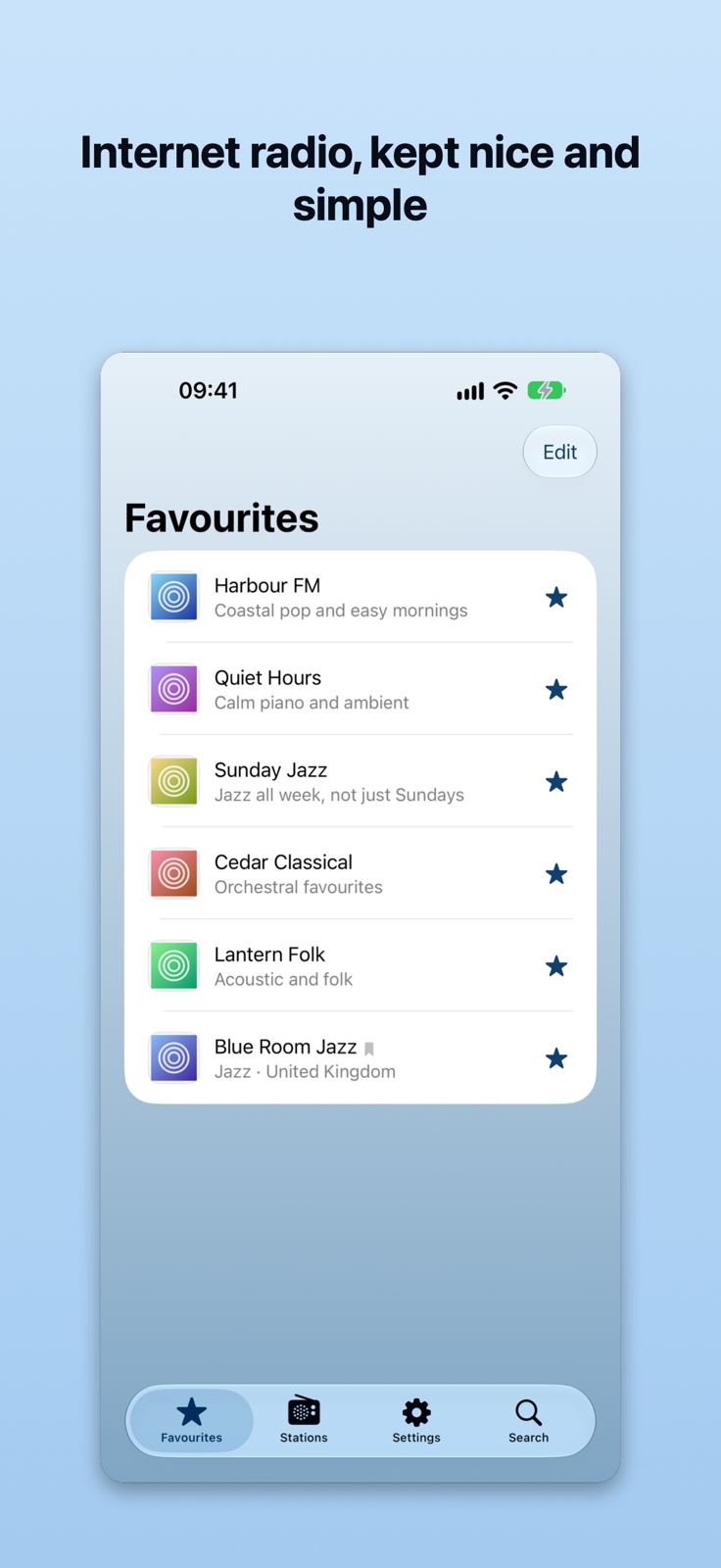
Internet radio, kept nice and simple
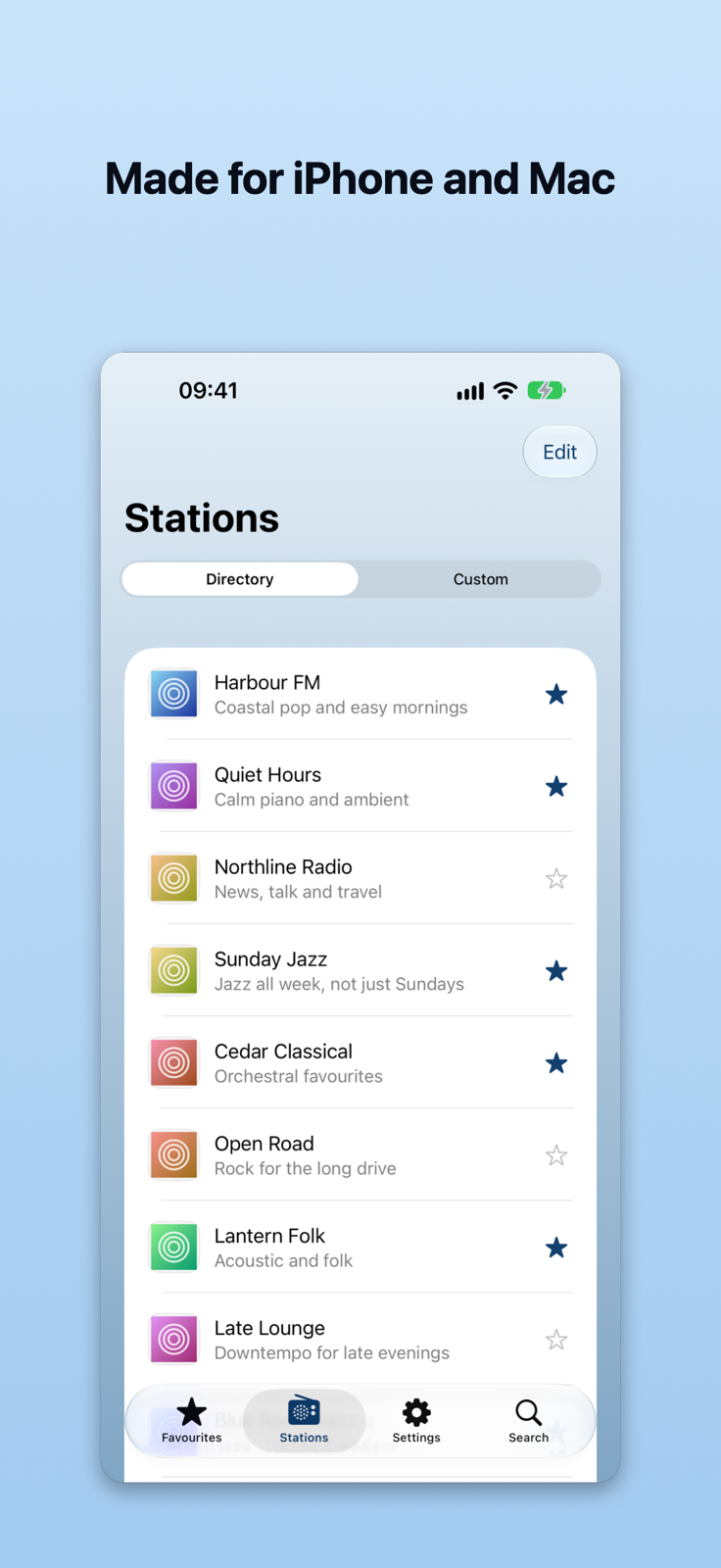
Made for iPhone and Mac
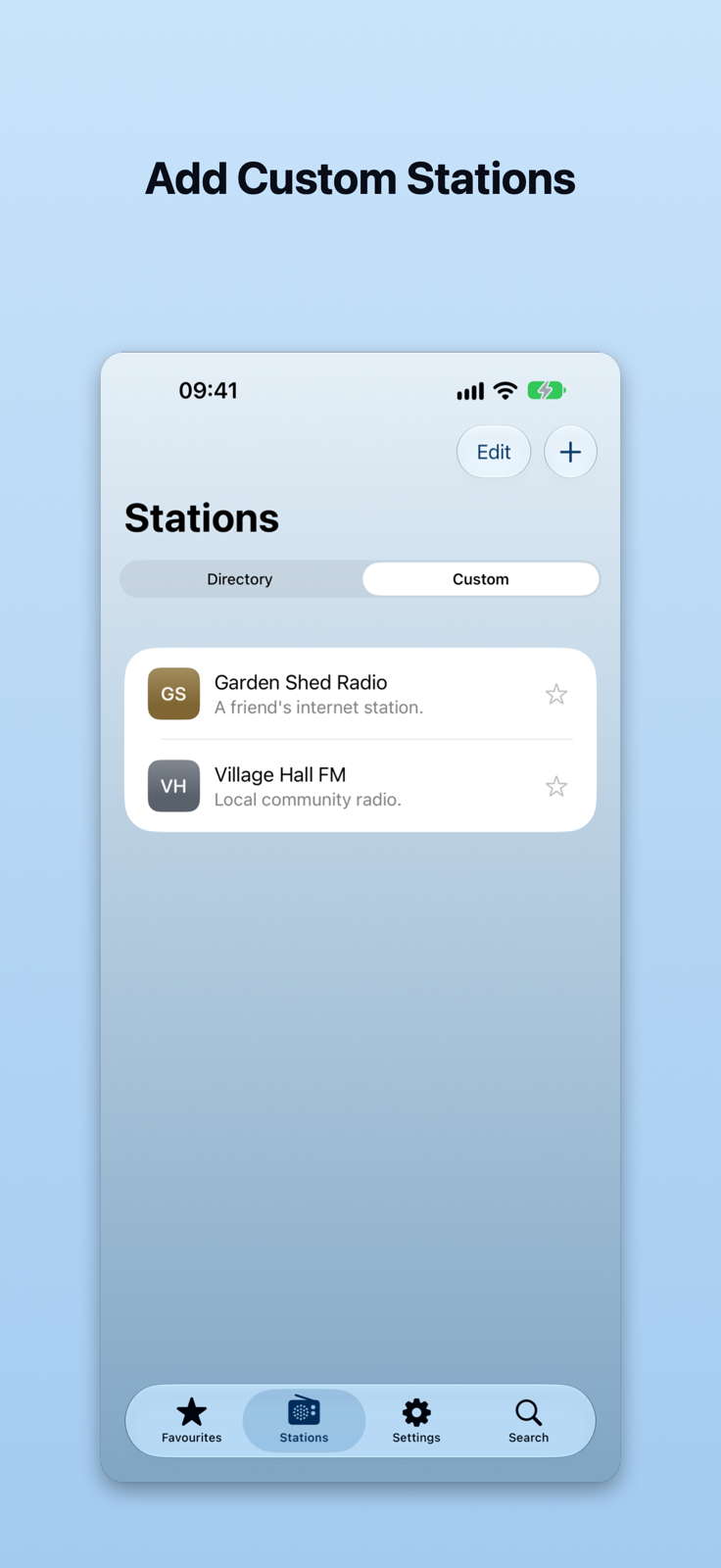
Add Custom Stations
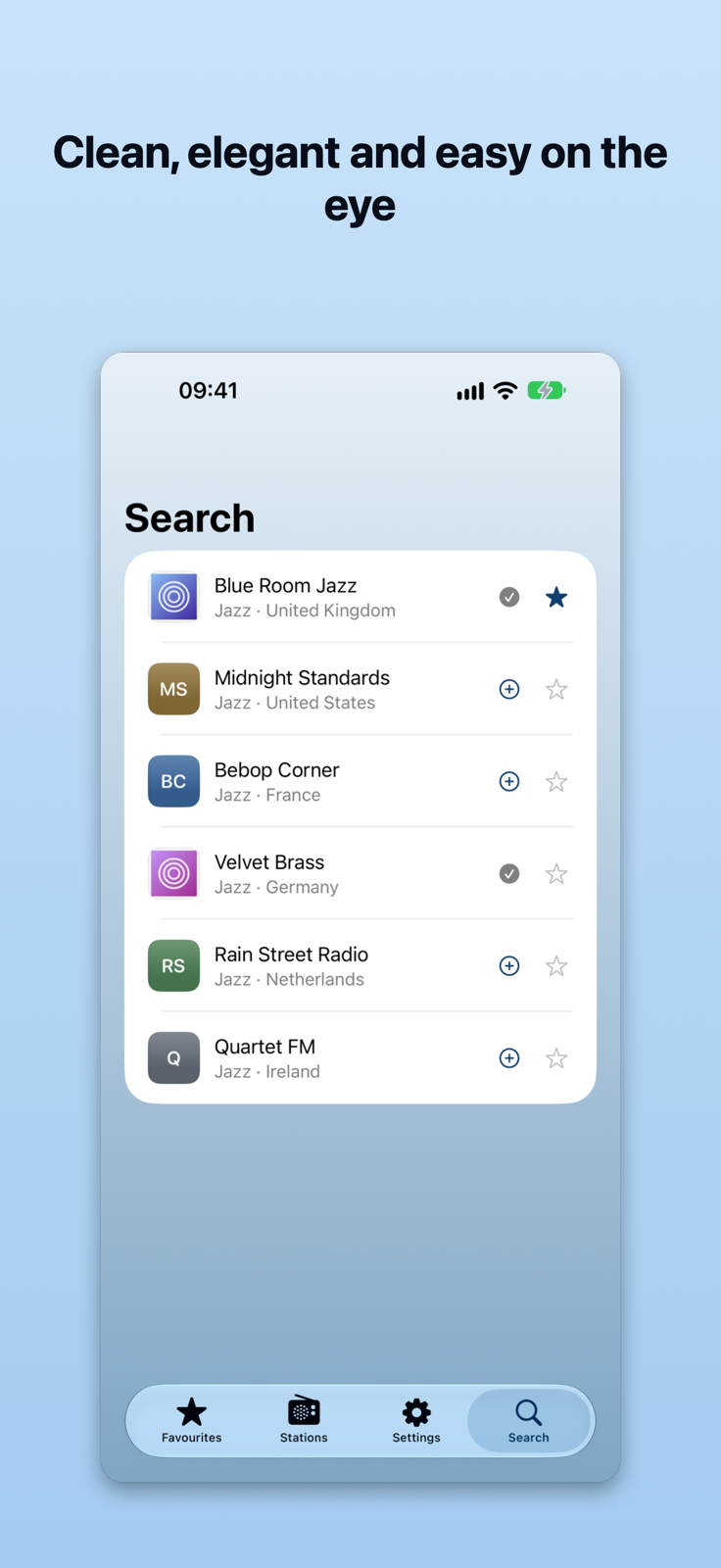
Clean, elegant and easy on the eye
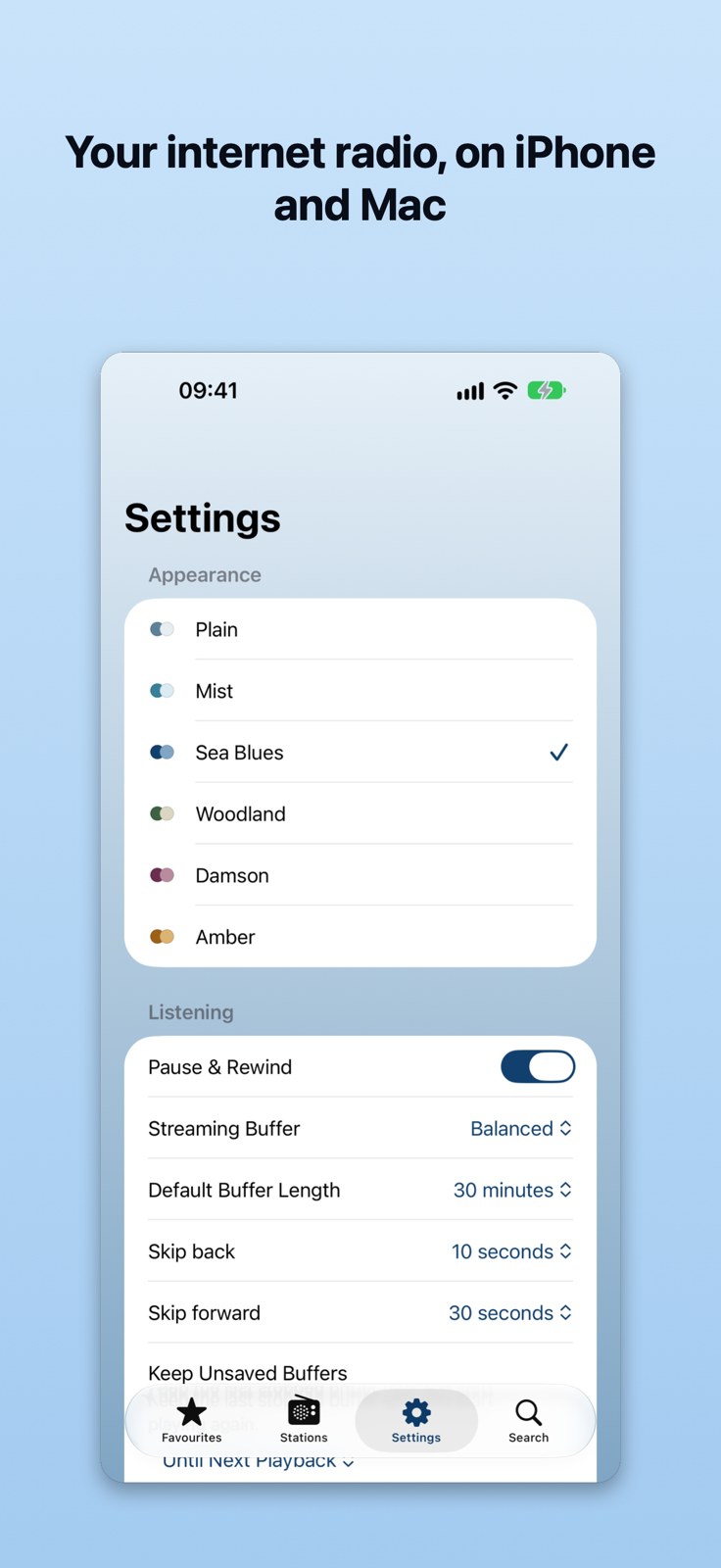
Your internet radio, on iPhone and Mac
Available from your Menu Bar
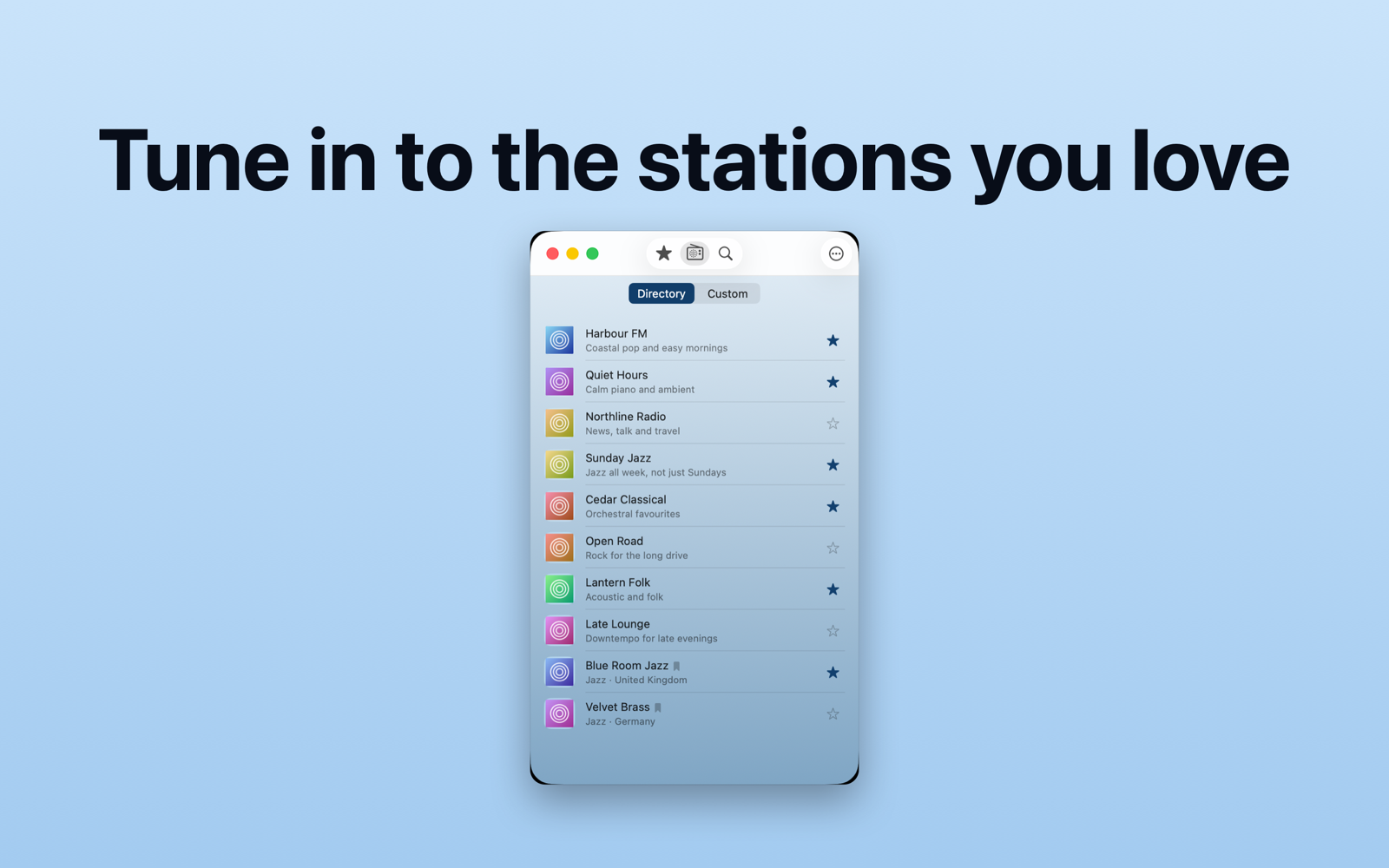
Tune in to the stations you love
Simple, elegant listening with no fuss

What’s new in 1.0.1

First Release.
Screenshots

Support

AirTune Support

Thanks for using AirTune — simple, elegant internet radio for iPhone and Mac.

Whether you're discovering new stations, listening to your favourites or rewinding something you just missed, we're here to help.

Contact

For AirTune support, email support@philg.com.

Requirements

  • iPhone: iOS 26.0 or later

  • Mac: macOS 26.0 or later

Common Questions

Is there a subscription?

No. AirTune is a one-time purchase. Pay once and enjoy the app without a recurring subscription.

Can I rewind what I've been listening to?

Yes! AirTune lets you pause and rewind live internet radio, so you can listen again when you miss something.

You can also save buffered audio as a recording to listen to later.

Do my stations sync between Mac and iPhone?

Yes. AirTune uses iCloud to keep your favourite and custom stations in sync across your Apple devices.

Make sure you're signed in to the same Apple Account on each device and have iCloud enabled.

Can I add my own radio stations?

Absolutely. You can add custom internet radio stations using their stream URLs, alongside stations available through the built-in directory.

Can I save something I've heard?

Yes. AirTune lets you save audio from your rewind buffer as a recording. You can save while listening or after stopping a station, provided the audio is still available in the buffer.

What happens to my rewind buffer when I change stations?

By default, AirTune keeps your last stopped buffer until you start a new listening session.

You can also choose to keep unsaved buffers for up to 24 hours in Settings, subject to available storage.

If you prefer, AirTune can ask whether you'd like to save buffered audio before starting another station.

Does AirTune work without an internet connection?

An internet connection is required to listen to live radio stations. Recordings you've saved to your device can be played separately without an internet connection.

Reporting a Problem

If something isn't working as expected, please include:

  • Your AirTune version

  • Your device model# AirTune Feature Guide

Internet radio, your way.

AirTune brings simple, elegant internet radio to your iPhone and Mac. Discover stations, save your favourites, add your own streams and rewind live radio when you miss something.

No subscription. Just your stations, wherever you listen.

Internet Radio on iPhone and Mac

AirTune is designed for iOS and macOS, with a familiar experience across both platforms.

  • iPhone: iOS 26.0 or later.

  • Mac: macOS 26.0 or later.

  • Browse internet radio stations from the built-in directory.

  • Keep your favourite stations close at hand.

  • Search for stations by name.

  • Add your own stations using their stream URLs.

Whether you're listening at your desk or on the move, AirTune keeps things simple.

Pause & Rewind Live Radio

Missed something? Just rewind.

AirTune lets you pause and rewind live internet radio, so you can hear something again without waiting for a replay.

Perfect for those "What did he just say?" moments.

How it works

  • Start listening to a station.

  • AirTune automatically builds a temporary audio buffer while you listen.

  • Use the Player's rewind controls to go back and listen again.

  • Return to Live whenever you're ready to catch up with the broadcast.

You can choose how much audio AirTune keeps available for rewinding.

Available buffer lengths range from 15 minutes to 4 hours, depending on your preference and available device storage.

You can also change the buffer length while listening.

Rewinding is available on supported streams. Some stations may use streaming formats that don't support AirTune's full rewind functionality.

Save Recordings

Want to keep something you've heard?

AirTune lets you save audio from your rewind buffer as a recording.

  • Save while a station is playing.

  • Save after stopping, while the buffer is still available.

  • Choose where to save the recording.

  • Keep recordings independently of AirTune's temporary rewind buffer.

Keeping unsaved audio

In Settings, you can choose between:

Until Next Playback (default)

Your last stopped buffer remains available until you start another listening session.

For 24 Hours

AirTune can retain multiple listening sessions for up to 24 hours, subject to storage limits.

You can also enable Ask Before Discarding Buffer if you'd like AirTune to offer to save available audio before an in-app station change would discard it.

The default experience remains simple and uninterrupted.

Add Your Own Radio Stations

AirTune isn't limited to stations in its directory.

You can add your own internet radio streams, making it easy to build a collection that suits your listening habits.

How to add a station

  • Open Stations.

  • Select Custom.

  • Use the option to add a station.

  • Enter the station's name and streaming URL.

  • Save the station.

Your custom station will then appear in your station collection, ready to play and add to your Favourites.

The station must provide a compatible internet audio stream. A station's ordinary website address isn't necessarily its streaming URL.

Keep Your Stations in Sync

Your favourite stations, on your devices.

AirTune uses Apple's iCloud services to synchronise supported station information between your iPhone and Mac.

Add a favourite or custom station on one device and it can appear on your other devices.

For syncing to work, sign in to the same Apple Account on each device and ensure iCloud is enabled.

An internet connection is needed for synchronisation.

Mac Menu Bar

AirTune includes convenient menu-bar controls on macOS, so you don't need to keep the main app window open while listening.

Quickly access your stations and control playback from the menu bar.

When you want the full experience, open the main AirTune window to browse stations, manage favourites or use the Player.

Widgets and Apple Integration

AirTune integrates with supported Apple system features to make listening more convenient.

Widgets provide quick access to AirTune and supported station or playback actions without having to navigate through the main app.

AirTune also supports compatible Siri and system playback controls, allowing you to access radio playback more conveniently.

Available widget layouts and controls depend on your device and operating system.

Made for Simple Listening

AirTune is built around a straightforward idea: internet radio should be enjoyable, customisable and easy to use.

Discover new stations, keep your favourites in sync, rewind what you missed and save the moments worth keeping.

One purchase. No subscription. Your radio.

  • Your iOS or macOS version

  • A description of what happened and how to reproduce it

Screenshots are also welcome if they help explain the issue.

Privacy Policy

Last updated: 9 November 2026

AirTune is an internet radio app for iPhone and Mac. We respect your privacy and aim to keep the app simple, including how your information is handled.

Your stations and iCloud syncing

AirTune lets you save favourite stations and add your own internet radio stations.

AirTune uses Apple's iCloud services to synchronise supported station information between your devices when iCloud syncing is available and enabled.

Your synchronised information is handled through your Apple account and is subject to Apple's privacy practices. AirTune does not require you to create a separate account with us.

Listening to internet radio

When you play a station, AirTune connects to its internet radio stream.

The radio station or its streaming provider may receive technical information necessary to deliver the stream, including your IP address. Those services operate independently and may have their own privacy policies.

AirTune does not control how third-party radio stations process information they receive.

Rewind buffers and saved recordings

AirTune temporarily stores audio on your device to let you pause and rewind live radio.

You can choose how long unsaved audio is retained, subject to the app's storage limits. Temporary audio is automatically removed according to your selected retention settings.

If you choose to save a recording, the exported audio file is stored in the location you select. You control whether to keep or delete that file.

Third-party services

AirTune uses third-party internet radio streams and may use station-directory services to help you discover stations.

Requests to these services may disclose technical connection information, such as your IP address, to the relevant provider.

Apple's services may also process information when you use iCloud syncing or other Apple system integrations.

Children's privacy

AirTune is a general-purpose internet radio app and is not specifically designed for children.

Radio stations may provide content intended for different audiences. Parents and guardians should consider the suitability of individual stations.

Changes to this policy

We may update this privacy policy to reflect changes to AirTune or its features.

The latest version will be published on this website, with the revision date shown above.

Contact

If you have questions about AirTune or this privacy policy, please contact us through the support details provided on this website.

Contact: support@philg.com

Get AirTune

Download on the App Store